


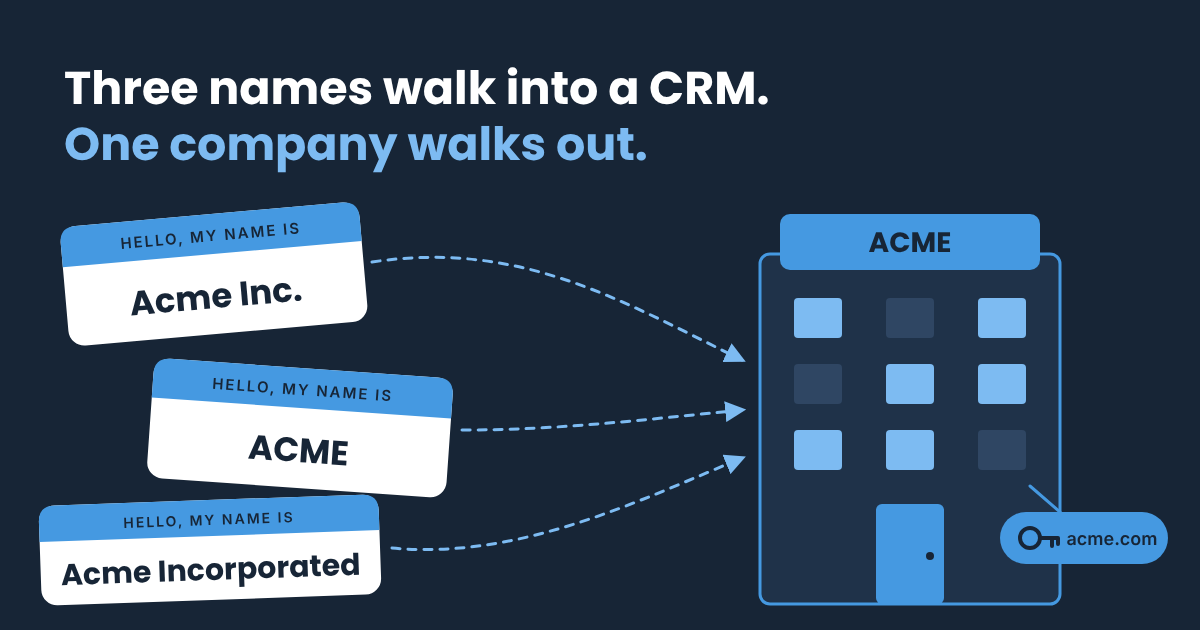
Remember Joe, who showed up as a pirate, a scarecrow and a cat? His company plays dress-up too. In one CRM, Joe works at Acme Inc., at ACME, and at Acme Incorporated. Same office, same coffee machine, three records. The secret to bringing them together is one good key.Part of the Tame Your CRM series. Start here.
Companies take a little more thought than people. Sometimes three records really are one company. Sometimes they're three real locations of one customer, and you want them kept apart but still connected.
Get it right and it pays off fast:
- Your customer count matches reality.
- Every contact, deal and email for Acme lives in one place.
- You can tell a brand-new customer from a new location of one you already have.
These ideas work in any CRM, whether your team uses Pipedrive, HubSpot, Salesforce or something else.
The quick win: give every company a key
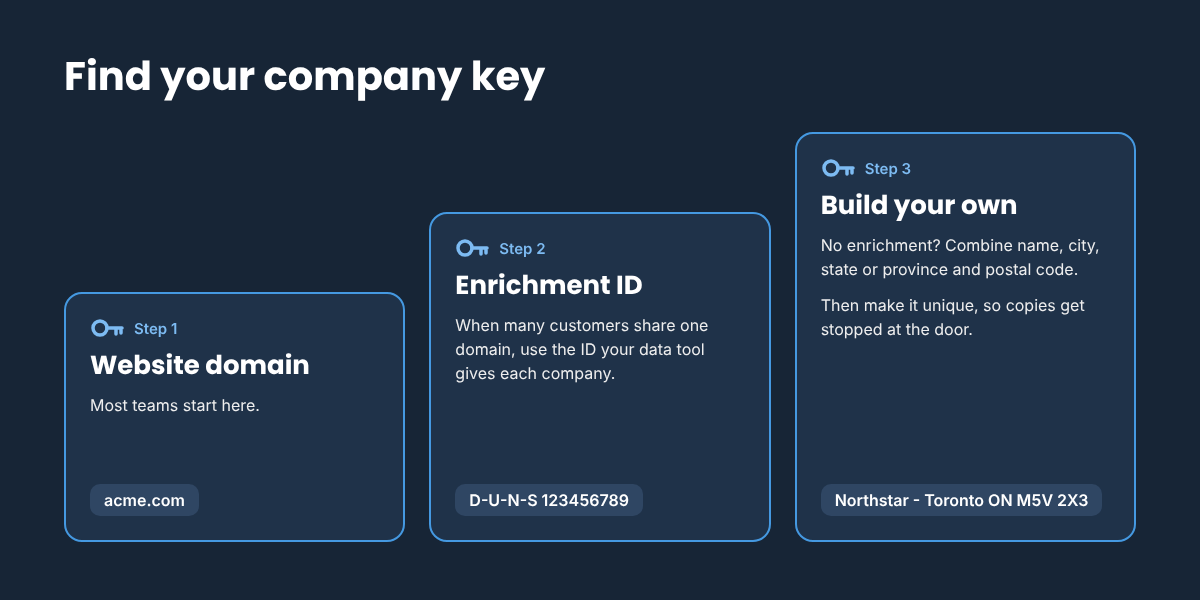
Every clean-up starts with a key: one value that belongs to only one record. For people, it's usually email. For companies, you have a few choices. Start with the simplest one that fits how you sell.
Step 1: Start with the website domain
For most teams, the company's website domain is the perfect key. Acme Inc., ACME and Acme Incorporated all live at acme.com, so they line up as one.
A few habits keep domains matching:
- Store just the root domain. acme.com, not https://www.acme.com/contact.
- Leave out personal email domains. gmail.com and outlook.com belong to millions of people, not one company.
- Make it required. A blank domain can't match anything.
Step 2: When the domain isn't enough
Some selling models break the one-domain rule. Say you sell to individual Marriott hotels. Each hotel buys separately, but they all share marriott.com. Your key now points at hundreds of customers.
If you enrich your data, you already have a better key. Most enrichment tools give each company its own ID:
- A LinkedIn company ID
- A ZoomInfo company ID
- A D-U-N-S Number from Dun & Bradstreet
- An Apollo organization ID
- A Crunchbase organization ID
- A People Data Labs company ID
- A Clay record ID
Use whichever tool you already pay for. Store its ID in its own field, and match on that instead.
Step 3: No enrichment? Build your own key
You can make a key from fields you already have. For the hotels, that might be:
Marriott - Toronto ON M5V 2X3
That's the company name, the city, the state or province, and the postal code. A big city can have several hotels from one brand, so the postal code keeps each key one of a kind. In a small town, the city alone may be enough. Create a key that makes sense for your business.
The next job is making sure that key stays unique. If your CRM lets you mark a formula field as unique, you're all set: build the formula and switch it on. Most CRMs don't allow that, so here's the workaround I use:
- A formula field builds the key from the name, city, state or province, and postal code.
- A plain text field holds a copy, and that field is set to require unique values.
- An automation copies the formula into the text field whenever any of those fields is filled in or changes.
Now if someone tries to create a second Marriott - Toronto ON M5V 2X3, the CRM stops them at the door.
Make it stick: merge the twins, keep the locations
With your key in place, it's time to tidy what's already there. Before you merge anything, ask one question about each pair.
Branch or duplicate?
Is this the same company in the same place? Acme Inc. and ACME at the same address, with the same website, are one company in two costumes. Merge them.
Or is it a real location you sell to on its own? The Toronto hotel and the Vancouver hotel are both Marriott, but each one buys, signs and pays separately. Keep them as separate records. Below, you'll give them the same Logo ID.
When in doubt, don't merge. A merge is hard to undo.
New customer or new location?
Say your team lands its first Marriott hotel. That's a new customer. Six months later, a rep signs the Vancouver hotel. Is that new business, or growth with a customer you already have?
Countries raise the same question. Acme runs acme.com in the US and acme.ca in Canada. Winning Acme Canada might be new business or an upgrade, depending on how your team counts it. Either way, it's the same logo.
If every location is its own company record, your reports can't tell the difference. Every new hotel and every new country looks like a brand-new customer.
Some CRMs have a parent account field, and that works for simple cases. When reps sell to each location and you need honest customer counts, here's the setup I recommend.
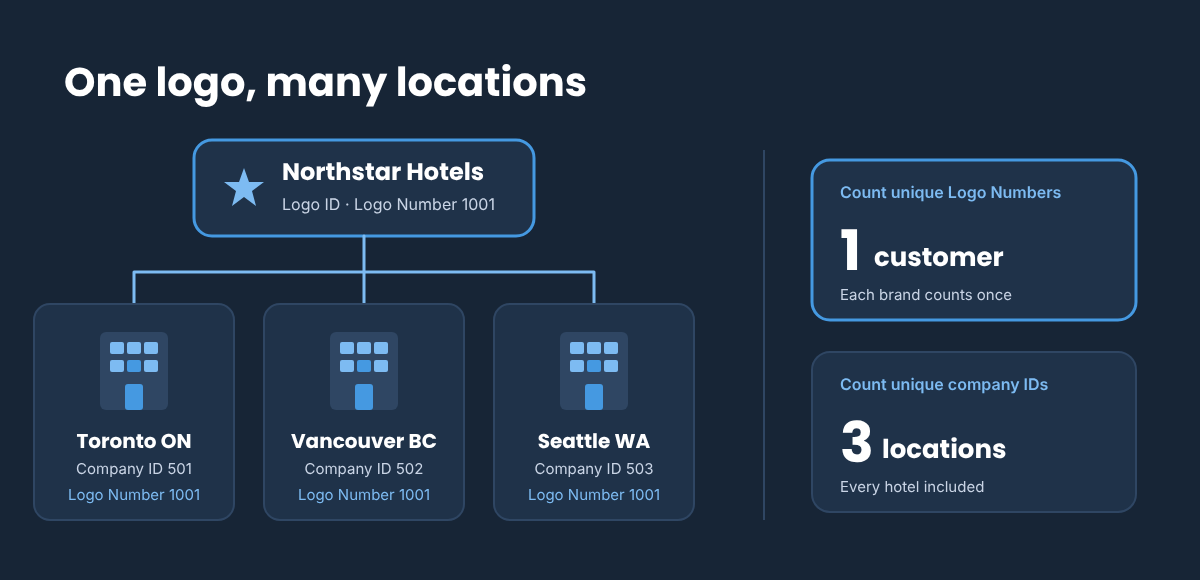
- Create a Logo ID object. Each record is one brand, like Marriott or Acme. Give it a logo name and a unique number that fills in automatically. Later you can add roll-up fields, such as total revenue or opportunities per logo.
- Add a Logo ID relationship field on the company. It points each company to its logo, so every Marriott hotel, and both acme.com and acme.ca, lead back to one record.
- Add a Logo Number formula on the company. If the company has a Logo ID, it shows the logo's number. If not, it shows the company's own ID. Every company gets a Logo Number, even one-location customers.
Now your reports can give you both answers:
|
Count unique values of |
You get |
|---|---|
|
Logo Number |
How many customers you have (each brand counts once) |
|
Company ID |
How many locations you have, every hotel included |
One more step: teach your duplicate rule about logos. Keep the website domain unique, except when the company has a Logo ID. Your Toronto and Vancouver hotels can share marriott.com, and a company with no Logo ID still gets caught if its domain repeats.
Merge safely
Once you know which pairs are true duplicates, a few habits keep the merge smooth:
- Take a quick backup. Export your companies first. A merge is permanent.
- Pick the record that wins. The same rules from the first post apply, including keeping the original created date.
- Agree on the owner first. After an acquisition or a territory change, two records can have two different owners. Settle who owns the account before you merge, so nobody's surprised.
- Check open deals. Make sure every deal and contact lands on the record that stays.
- Merge in your main system. If your CRM syncs with another tool, merge where the record lives first, so the sync doesn't bring the copy back.
Keep it that way
Every quarter, export your companies and sort by domain, or by your key. Then sort by name, ignoring Inc., Ltd. and LLC. Repeats line up side by side.
Or hand the list to a friend who loves a good pattern. You know where to find me.
Quick answers
What's the best key for matching companies in a CRM? The website domain works for most teams. If many customers share one domain, use an enrichment ID such as a D-U-N-S Number, or build your own key from the name and location.
Should I merge different locations of the same company? Only if they're truly the same company in the same place. Locations that buy separately should stay as separate records, each with the same Logo ID.
How do I count customers when one brand has many locations? Create a Logo ID for each brand, then give every company a Logo Number formula. Count unique Logo Numbers for customers and unique company IDs for locations.
Your next step
Pick your key today. Check that every company has one, whether that's the domain, an enrichment ID or a key you build. Then make it unique, so new copies get stopped at the door.
Want help choosing the right key, or setting up Logo IDs so your customer counts add up? Let's chat. No jargon, no pressure.
Book a chat